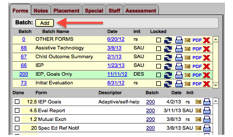
From the Forms tab on the Student Screen, click the Add button to display the Batch Chooser screen.
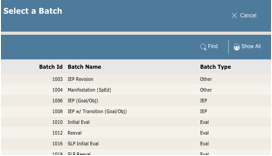
From the Batch Chooser screen, select a batch from the list. The forms in the batch are listed in the rows displayed at the bottom of this screen. Use the Find button to search for a particular Batch.
Note: If the student already has an IEP or Eval batch within the 1 or 3 year time frame, when you add another, you will have to confirm the addition of that new batch.
 Note
- Your district’s system administrator is responsible for batch management,
deciding what forms a batch contains, if multiple copies of the form are
needed, and the order in which the forms appear.
Note
- Your district’s system administrator is responsible for batch management,
deciding what forms a batch contains, if multiple copies of the form are
needed, and the order in which the forms appear.