|
|
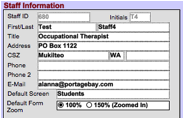
Choose either the 100% (Normal) or 150% (Zoomed In) option to set your preferred zoom level for forms. The change will take place upon your next login. Note: This works only for forms. For all other screens, you will need to use the zoom option at the lower left of the window (to the left of “Browse”). |