|
|
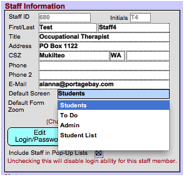
Choose an option from the Default Screen drop down to set your preferred default tab for each time you access your staff screen. If you have an outstanding To Do item, that tab will take priority over your default tab. Note: The Admin screen can only be chosen
by Admin users (access level 2). |