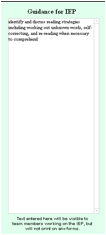
Individual Eval Form
The right hand side of this form is where the text box for the Guidance for IEP is located. Simply type or copy & paste notes directly into the box.
These notes will not print when the form is printed. They are only visible to staff completing a goal form for this student.
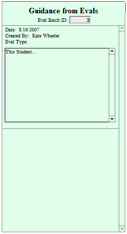
IEP Measurable Annual Goal Form
Notes
entered into form 28.x as above will appear on the right-hand side of the
goal form, along with the date and person who created the notes. The Eval Batch ID (box under the “Guidance from Evals” title) is the
link between the Eval forms and the Goals and Objectives forms. This should
auto-complete, but if the notes are not appearing, simply type the batch
number of the Eval Batch that contains the Individual Evaluation you wish to
have appear into the Guidance from Eval box.