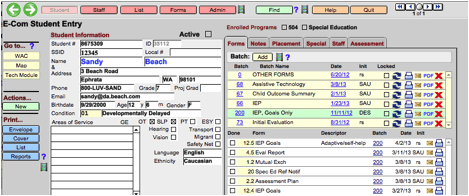
There are a number of Help options throughout E-Com. If you click on the Help button on the navigation bar, the system will display blue question marks that link to the related topics in the User’s Manual. Click on any blue help icon to go to the webpage where the help topic is available. In addition, there are filmstrip icons that will bring you to a video on the topic. As you can see in the image below, there are textual help links for Find, Go to..., Reports, and Batch, and there are videos available for three of those.
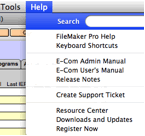 In addition, you can access the admin manual,
the user manual, and the most up-to-date release notes from inside E-Com, by
going up to the Help menu on the FileMaker menu bar.
In addition, you can access the admin manual,
the user manual, and the most up-to-date release notes from inside E-Com, by
going up to the Help menu on the FileMaker menu bar.
You may also create a support ticket directly from E-Com using the “Create Support Ticket” option. For non-administrative users, an email with a blank address will come up; they should enter the email address of their local E-Com administrator, along with additional details of the problem. (If necessary, the admin user may then forward the issue to the E-Com support email.)
Related Topics