|
|
From the Staff
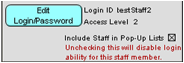
Information area of the Staff screen, click on the Edit
Login/Password button. |
|
|
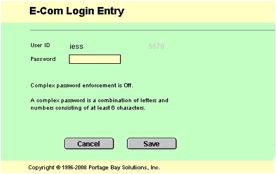
The E-Com Login screen will pop up. From here, you may type in and change your password directly. Once you have finished, click “Save” to continue or “Cancel” to return to your screen without saving the changes. |