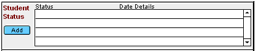
Depending on your district’s policies, users may denote students’ “special status” here (e.g., graduation, exit from special ed. program, ancillary student).
 Note
- Your district’s system administrator is responsible for managing what data
is available in the drop-down lists.
Use of this section varies by district, so check with your Special Ed
secretary for further instructions.
Note
- Your district’s system administrator is responsible for managing what data
is available in the drop-down lists.
Use of this section varies by district, so check with your Special Ed
secretary for further instructions.