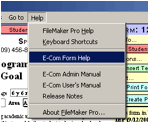
Assistance and tips for completing a form may be accessed from the form itself. The help available is based on information entered by your E-Com administrators.
From the Help Menu, select E-Com Form Help.
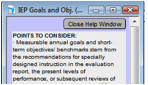
The form help window will pop up on the right hand side of the screen, displaying help text.
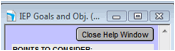
To close the Help Window and continue editing the form, click the button Close Help Window at the top of the Help Window screen.