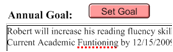
Misspelled words will appear with a dotted red underline.
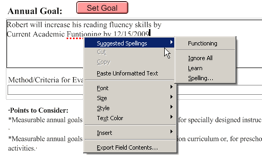
Right-clicking on the word will display a contextual menu that will give you suggested spellings.
To add the word to your local user dictionary, select ‘Learn’ from the menu as shown.
If the ‘Learn’ option is grayed out, no local user dictionary has been created. See "Adding a Local Dictionary" below for more information.