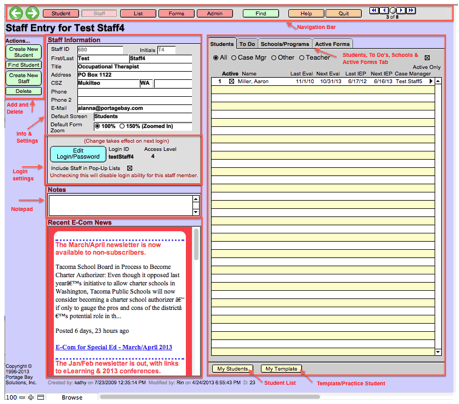
Upon opening E-Com, users will go directly to the screen shown below.
Note - Tab view will default to the selection chosen in the Default Screen field. If there is an outstanding To Do item, the Tab view will automatically default to the “To Do” tab.
Related Topics