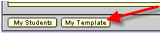
It is very common in E-Com for a staff member to have a student record where they create forms and batches for practice purposes and where they can duplicate forms for later re-use. To quickly and easily access your template/practice student area, click the My Template button at the bottom of the tabs on your staff screen.
Related Topics
Chapter 3: Staff Screen
Creating a Default Template (Practice) Student
Assigning an Alternate Template Student