|
|
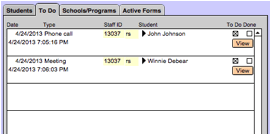
The To Do tab displays items marked as “To Do”. They are set for a particular student within that student’s Notes tab. To review the note details, select the View button. This will take you to the Notes Details Screen. To print the contents of this tab, see “Print shortcut - To Do List” Once items are marked as done, they will
automatically be removed from this list. |